
Best Settings and FPS Guide
Answer
Cut the settings that scale with a 256 km² streaming map and 100 players first: view distance, shadow quality, volumetric effects and foliage density. Then enable upscaling — BULKHEAD's own minimum-spec target of 1080p Low 60 fps assumes upscaling is on, so it is part of the intended configuration rather than a last resort. Textures cost VRAM rather than frames, so on a card with headroom they are the cheapest quality to keep.
Scope note. The Early Access build goes live on 10 September 2026. Exact in-game setting names, preset contents and measured frame-rate deltas cannot be verified before then, and this page does not invent them. What follows is the reasoning that applies to this specific engine workload, plus BULKHEAD's published targets. A measured, per-setting cost table publishes here from launch.
What actually costs frames in WARDOGS
Generic FPS advice is not very useful, because which settings are expensive depends entirely on what the engine is doing. WARDOGS has a distinctive load profile, and it points at specific settings:
| Setting | Expected cost | Why, in this game specifically |
|---|---|---|
| View / draw distance | Very high | Maps are 16×16 km with long mountain and valley sightlines. This is the single biggest lever, and usually the first thing to cut. |
| Shadow quality | Very high | Dynamic shadows across large open terrain plus 100 players plus vehicles plus player-built structures. |
| Volumetrics / fog / smoke | High | Official footage is full of dust, smoke and volumetric light. These effects appear exactly when a fight is busiest — which is when you need frames most. |
| Foliage density | High | Grass and vegetation are everywhere. See the visibility warning below before cutting this to the floor. |
| Ambient occlusion / reflections | Moderate | Standard cost. Reasonable to lower on minimum-spec hardware. |
| Texture quality | Low frame cost | Costs VRAM, not frame rate, until you run out of VRAM. Keep it up if your card has headroom. |
| Anti-aliasing | Low–moderate | Modern upscalers include AA. Do not pay for both. |
Upscaling is part of the intended setup
This is the most important single point on the page, and it is easy to miss.
BULKHEAD's minimum specification target reads 1080p Low at 60 fps, upscaled. The recommended target reads 1440p Medium at 70 fps+ native, or 4K Medium at 60 fps+ upscaled. In other words, the developer's own performance figures for minimum-spec hardware already assume an upscaler is running.
So do not treat upscaling as a compromise you make after everything else has failed. On a GTX 1660 or RX 590 it is the baseline configuration the targets were written against. Enable it first, then tune the quality settings around the frame rate it gives you.
Best settings for a low end PC
For GTX 1660 / RX 590-class cards, this ordering follows from the cost profile above:
- Turn on upscaling at a performance-oriented quality level. This is the baseline, not the last resort.
- Drop view distance to the lowest setting you can tolerate. Biggest single gain available on this map size.
- Drop shadows to low or off. Second biggest gain, and often the difference between 45 and 60 fps in a busy zone fight.
- Reduce volumetrics and post-processing Protects your frame rate specifically during contested fights, which is where it matters.
- Leave textures as high as your VRAM allows Free visual quality on cards with headroom.
- Reduce foliage last and read the visibility note below before taking it to zero.
- Cap your frame rate slightly below what you can sustain. Consistent frame pacing reads better than a number that swings.
The foliage trap
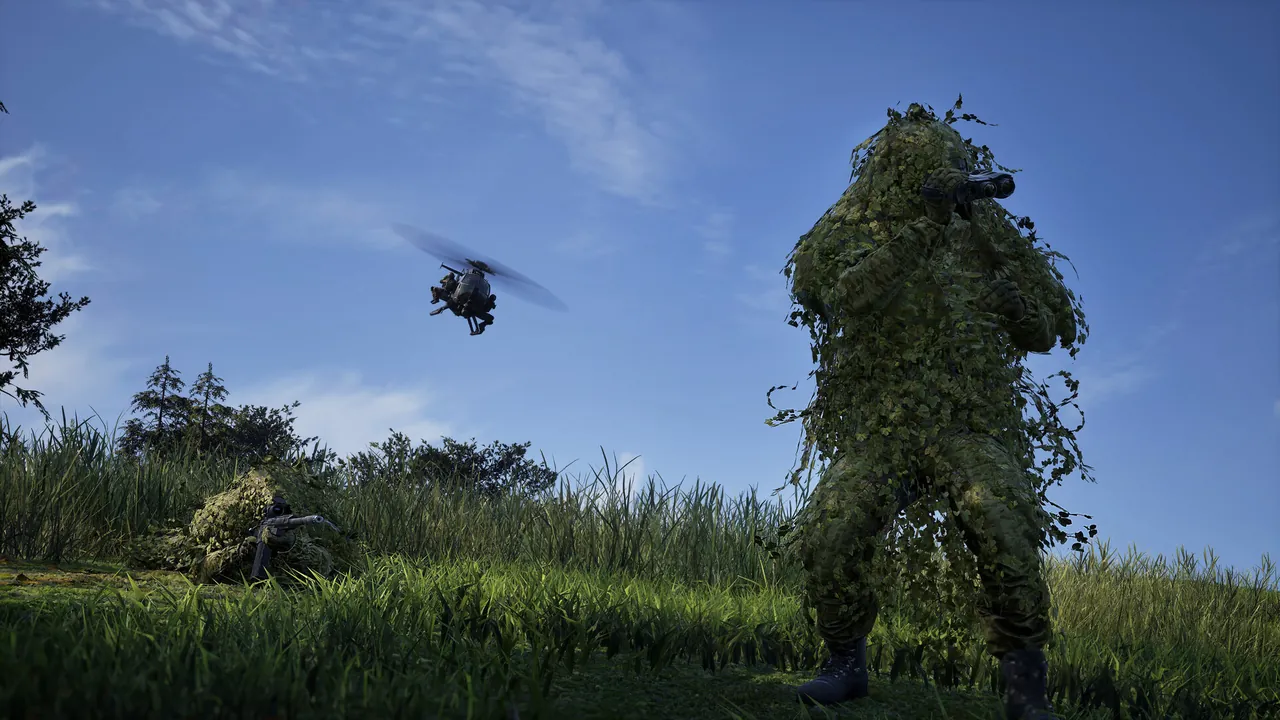
Cutting foliage to the floor can make you worse at the game, not better. WARDOGS has ghillie suits, prone marksmen and grass used deliberately as concealment — official screenshots show exactly this. In many engines, reducing foliage density also reduces the distance at which grass renders at all, which can leave a camouflaged enemy sitting on flat ground while your opponent, who kept foliage up, sees the vegetation that explains why someone is lying there.
Whether that applies to WARDOGS specifically is something to test in the live build. Until then, treat foliage as a setting to tune carefully rather than to zero reflexively.
Potato mode and low-end scaling
BULKHEAD has described a deliberately scalable presentation for weaker hardware — a genuine low-end mode rather than the same settings with sliders moved. The studio has been public about targeting accessible hardware, and the modest minimum specification supports that.
Exact preset names in the shipping build have not been published, and this page will name them accurately once they exist rather than repeat unverified terminology.
Things that are not in-game settings
- Install on an SSD. Streaming 256 km² of terrain while flying across it is a hard case for a mechanical drive; traversal stutter is the classic symptom.
- Update GPU drivers before launch day. Vendors usually ship game-ready drivers around major releases, and launch-week crashes are frequently driver-related. Troubleshooting.
- Let the shader cache build. First-match stutter that disappears afterwards is compilation, not a hardware problem.
- Close overlays. Overlay software injecting into a game running kernel-level anti-cheat is a recurring source of both crashes and frame-time spikes.
- Check power settings. Laptops in particular will quietly throttle a game like this.
Settings FAQ
How do I increase FPS in WARDOGS?
Enable upscaling, then reduce view distance, shadows and volumetric effects. Those scale hardest with a 256 km² map and 100 players.
What are the best settings for a GTX 1660?
Upscaling on, view distance and shadows low, volumetrics reduced, textures as high as VRAM allows. That configuration matches BULKHEAD's own 1080p Low 60 fps target.
Does WARDOGS have a potato mode?
BULKHEAD has described a scalable low-end presentation. The shipping preset names will be confirmed here at launch.
Should I turn foliage all the way down?
Be careful. WARDOGS uses vegetation as genuine concealment, and cutting foliage too far can hide the grass that explains why an enemy is lying in it.
Do textures affect FPS in WARDOGS?
Texture quality costs VRAM rather than frame rate, until you exceed your card's VRAM. On cards with headroom it is close to free quality.
Is there an FOV slider in WARDOGS?
Not confirmed. The settings menu contents will be documented here from the live build.
Sources: the official Steam store page performance targets (including the explicit upscaling assumption), Team17's Level Design & Performance developer video, and BULKHEAD comments on low-end scalability. Per-setting cost estimates are this wiki's own analysis of the engine workload and are labelled as expectations, not measurements. Back to the PC hub.